
Solitaire has been a favorite card game for generations, offering a simple yet engaging way to relax and challenge your mind. Today, thanks to smartphones and tablets, players can enjoy free Solitaire on mobile almost anywhere. Whether you are commuting, taking a break at work, relaxing at home, or traveling, mobile Solitaire makes it easy to start a game whenever you have a few minutes to spare.
Mobile Solitaire games combine classic card-game rules with convenient touchscreen controls, attractive designs, and features that make playing more enjoyable. Many versions are available for free, allowing players to enjoy their favorite card games without purchasing physical cards or expensive gaming equipment.
In this guide, you will discover how to play free Solitaire on mobile devices, explore popular game variations, learn practical tips for a better gaming experience, and find out what to look for when choosing a mobile Solitaire game.
What Is Free Solitaire on Mobile?
Free Solitaire on mobile refers to Solitaire card games that can be played on smartphones and tablets without paying to access the basic gameplay. Depending on the platform, these games may run directly in a mobile web browser or through a dedicated application.
Most mobile Solitaire games feature familiar rules and objectives. Players organize cards, build sequences, move cards between piles, and complete the game according to its specific rules.
Popular options include:
- Klondike Solitaire: The classic version familiar to many players.
- Spider Solitaire: A strategic game focused on building descending sequences in the same suit.
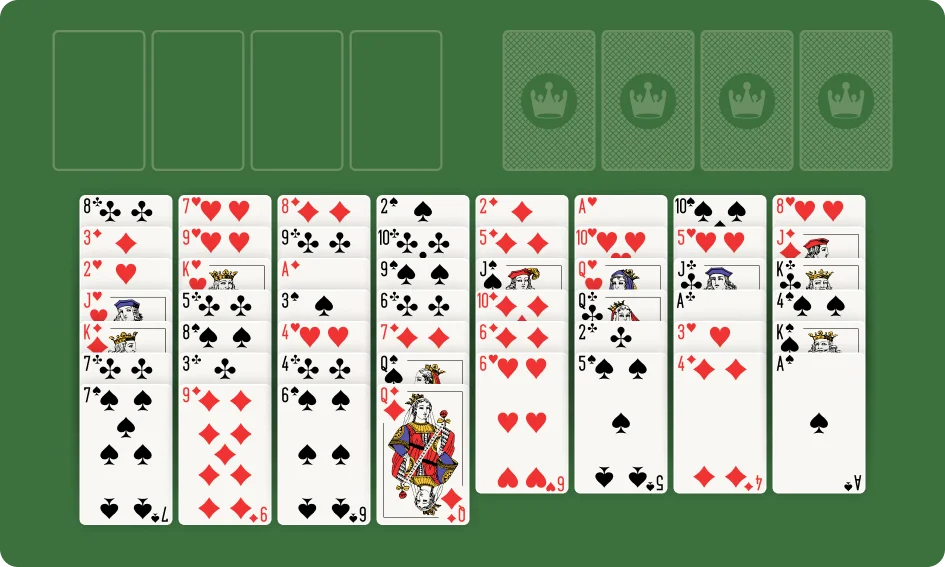
- FreeCell: A logic-based variation in which almost all cards are visible from the beginning.
- Pyramid Solitaire: A matching game where players remove pairs of cards that add up to 13.
- TriPeaks Solitaire: A fast-paced variation that involves removing cards one rank higher or lower than the current card.
These different versions allow mobile players to choose a game that matches their interests, experience, and available time.
Why Play Free Solitaire on Your Phone?
Mobile gaming has made Solitaire more accessible than ever. Instead of needing a physical deck of cards or sitting at a computer, you can open a game directly on your phone.
1. Play Anywhere, Anytime
One of the biggest advantages of mobile Solitaire is convenience.
You can play a quick game while waiting for an appointment, relaxing during a break, or spending time at home. Because most games are designed for short sessions, you do not need to dedicate an entire afternoon to enjoy them.
As long as you have access to a compatible game, Solitaire can become a convenient part of your daily entertainment routine.
2. Enjoy Free Entertainment
Many mobile Solitaire games provide free access to their core gameplay. This makes them an appealing option for players who want casual entertainment without paying for a subscription or purchasing a physical card deck.
However, some applications include advertisements, optional in-app purchases, or premium features. Check the game's description and settings if you want an experience with fewer interruptions or additional costs.
3. Easy Touchscreen Controls
Smartphones and tablets make Solitaire easy to control.
Depending on the game, you can tap a card to move it, drag it to another pile, or select an available action with a single touch.
Modern mobile interfaces are often designed with larger cards, clear buttons, and responsive controls to make gameplay comfortable on smaller screens.
4. Choose From Different Solitaire Variations
Mobile Solitaire is not limited to the classic version.
Many games offer several variations in one place, allowing you to switch between familiar rules and new challenges.
You might play Klondike when you want a traditional experience, FreeCell when you feel like solving a strategic puzzle, or TriPeaks when you prefer a quicker game.
5. Enjoy a Relaxing Break
Solitaire offers a simple activity that can help you take a break from repetitive tasks or other forms of screen-based entertainment.
Some players enjoy the satisfaction of organizing cards and completing a challenging board. Others prefer the familiar rules and predictable pace of classic Solitaire.
The experience is personal, but the game's straightforward mechanics make it easy to enjoy without learning complicated controls.
How to Play Free Solitaire on Mobile
Getting started is simple, even if you have never played Solitaire on a smartphone before.
Step 1: Choose a Mobile Solitaire Game
First, decide whether you want to play through a web browser or install an application.
A browser-based game can be convenient if you want to start playing without installing additional software. A dedicated app may offer features such as statistics, daily challenges, or offline play, depending on the specific game.
Step 2: Open the Game
For browser-based Solitaire, open your preferred mobile browser and visit a website that offers free Solitaire.
For an application, download it from your device's official app store and follow the setup instructions.
Check that the game supports your device and that any advertised features are available in the version you choose.
Step 3: Select Your Preferred Variation
If you are new to Solitaire, Klondike is a good place to start because its basic rules are widely familiar.
If you already understand the classic game, try FreeCell or Spider Solitaire for a different strategic challenge.
Step 4: Learn the Touch Controls
Most mobile games let you tap or drag cards.
Common actions include:
-
Tapping a card to move it to an available position.
-
Dragging a card to another tableau column.
-
Selecting the stock pile to draw cards.
-
Using an undo button to reverse a move, if available.
-
Restarting the game when you want a fresh challenge.
Controls may vary by game, so take a moment to explore the interface before beginning.
Step 5: Start Playing
Once you understand the controls, begin organizing the cards according to the rules of your chosen variation.
Take your time, examine the available moves, and enjoy the process rather than focusing only on finishing quickly.
Best Free Solitaire Games to Play on Mobile
Different Solitaire variations offer different experiences. Here are some popular choices for mobile players.
1. Klondike Solitaire
Klondike is the classic Solitaire game many players recognize from traditional card decks and computer games.
The objective is to move all cards to four foundation piles, building each suit from Ace to King. In the tableau, cards are arranged in descending order with alternating colors.
Why play it on mobile?
- Familiar and straightforward rules.
- Suitable for beginners.
- Easy to play in short sessions.
- Offers a balance of strategy and chance.
Klondike is an excellent starting point if you want to enjoy free Solitaire without learning an entirely new set of rules.
2. Spider Solitaire
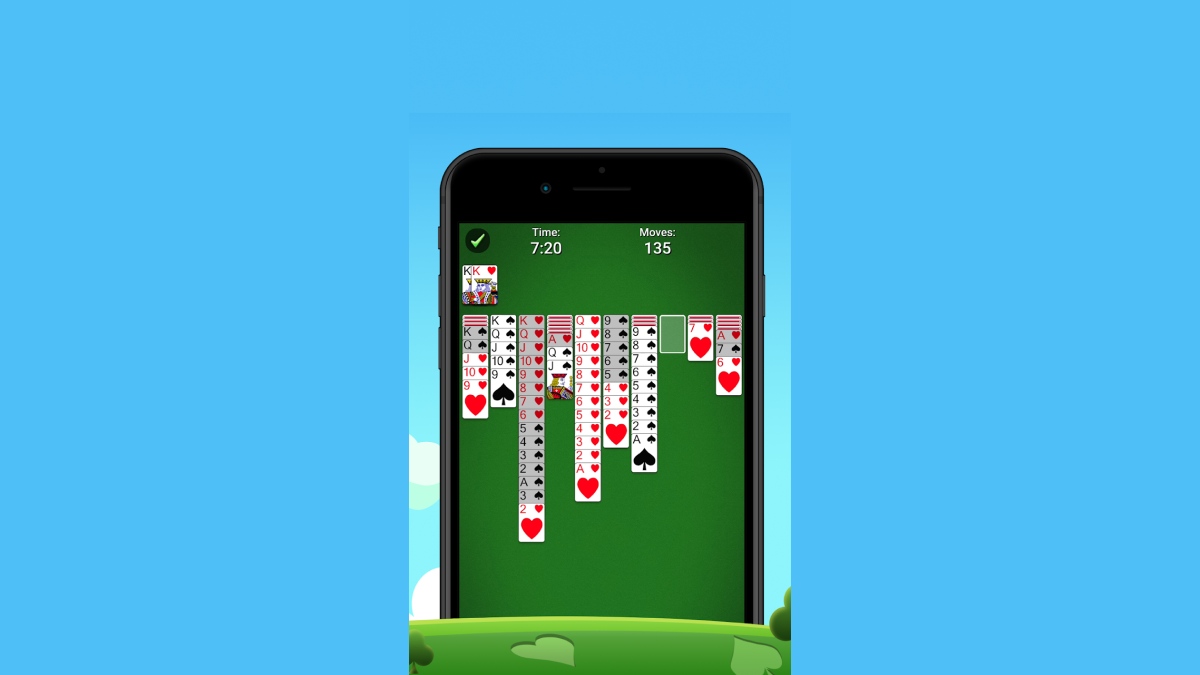
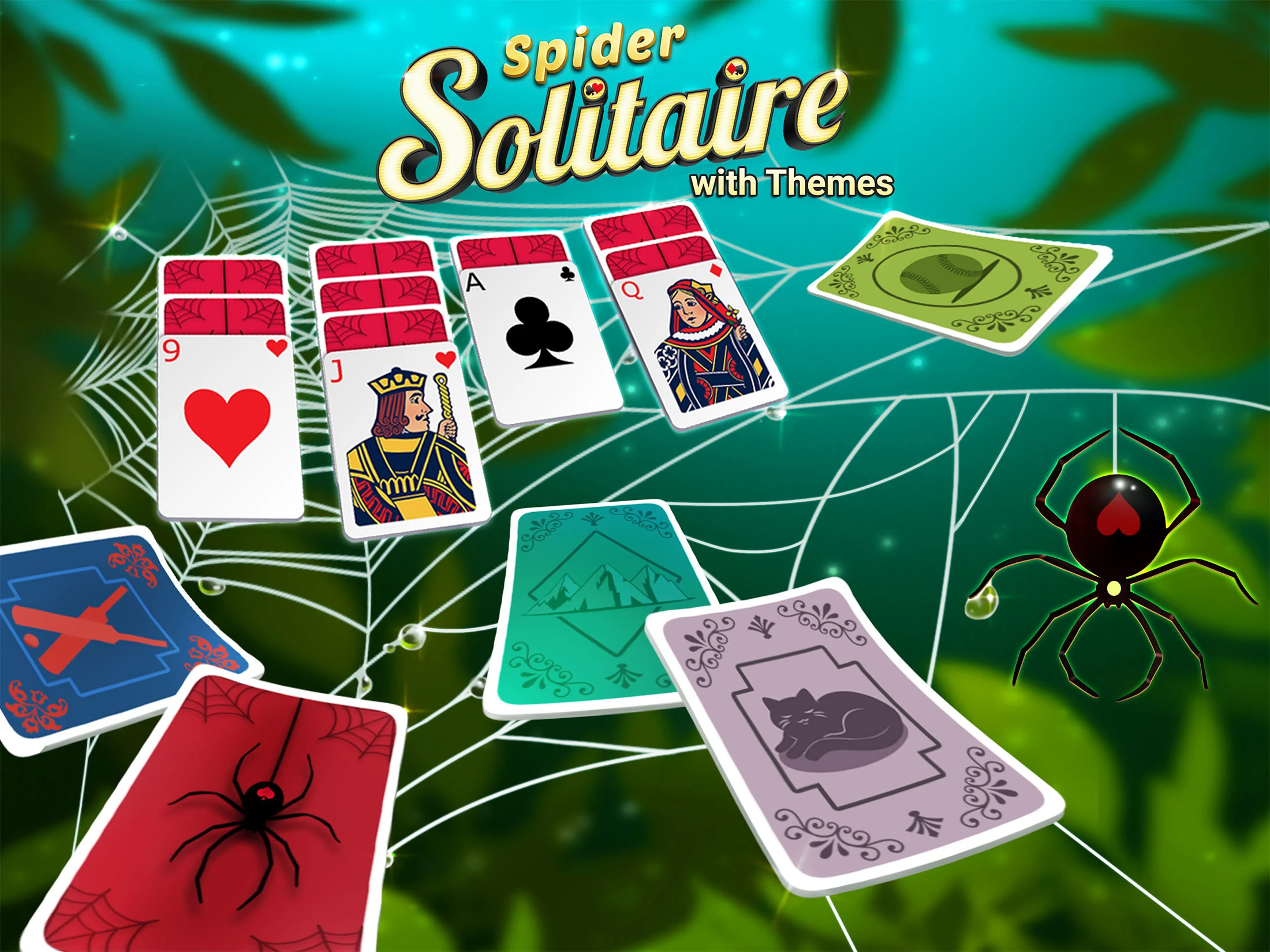
Spider Solitaire typically uses two standard decks, or 104 cards. The objective is to build complete descending sequences from King to Ace in the same suit.
Players can choose different difficulty levels in many versions, including One-Suit, Two-Suit, and Four-Suit modes.
Why play it on mobile?
- Provides a deeper strategic challenge.
- Offers several difficulty levels.
- Rewards careful planning.
- Keeps experienced players engaged.
Spider Solitaire is a good choice when you want a longer or more challenging card-game session.
3. FreeCell
FreeCell is known for its strategic gameplay. Nearly all cards are visible from the beginning, and four free cells provide temporary storage for individual cards.
The goal is to move all cards to the foundation piles while carefully organizing the tableau.
Why play it on mobile?
-
Encourages thoughtful decision-making.
-
Makes each move feel meaningful.
-
Offers a strong logic-puzzle element.
-
Works well for players who enjoy planning ahead.
FreeCell is particularly appealing if you prefer strategy over fast-paced gameplay.
4. Pyramid Solitaire
Pyramid Solitaire uses a distinctive pyramid-shaped card layout. Players remove available pairs whose values add up to 13, while Kings are typically removed individually.
Why play it on mobile?
- Easy to understand.
- Offers a different style of card matching.
- Suitable for quick sessions.
- Provides a refreshing alternative to sequence-building games.
5. TriPeaks Solitaire
TriPeaks features three peaks of cards. Players remove available cards that are one rank higher or lower than the current waste card.
The objective is generally to clear the peaks before running out of useful moves.
Why play it on mobile?
- Quick and accessible gameplay.
- Simple touchscreen interactions.
- Suitable for short breaks.
- Provides a more dynamic experience than some traditional variations.

Can You Play Free Solitaire on Mobile Without Downloading?
Yes. Many websites offer browser-based Solitaire games that work on smartphones and tablets.
To play without downloading an app:
- Open a browser on your phone.
- Visit a website that offers free Solitaire.
- Choose a game variation.
- Wait for the game to load.
- Use touchscreen controls to play.
Browser-based games can save storage space and make it easy to try different Solitaire variations.
However, some games require an internet connection, and certain features may not work offline. Availability and performance depend on the website, browser, and device.
Can You Play Solitaire on Mobile Offline?
Some mobile Solitaire games support offline play, but not all of them do.
Dedicated applications may allow you to continue playing without an internet connection after installation. Browser-based games may require an active connection to load the game or access certain features.
If you frequently travel or want to play in places with limited connectivity, check whether offline mode is supported before choosing a game.
You should also confirm whether features such as daily challenges, leaderboards, or cloud synchronization require an internet connection.
Tips for a Better Mobile Solitaire Experience
Playing Solitaire on a phone is convenient, but a few simple adjustments can make the experience more comfortable and enjoyable.
1. Choose a Game With Clear Cards
A well-designed mobile game should make card ranks and suits easy to recognize.
Look for an interface that displays cards clearly without making them too small or crowded.
If you have difficulty seeing individual cards, try a larger screen or adjust the available display settings.
2. Use Tap Controls if Dragging Feels Difficult
Dragging cards can be convenient, but it may feel awkward on a small screen.
Some games let you tap a card and then tap the destination pile instead. If this option is available, it may make card movement easier.
Choose the control method that feels most natural to you.
3. Play at Your Own Pace
You do not need to finish every game as quickly as possible.
Take a moment to examine the tableau and consider which moves will reveal useful cards or create better opportunities.
A relaxed approach can make the game more enjoyable, especially when you are learning a new variation.
4. Use Hints and Undo Carefully
Some mobile Solitaire games offer hints or undo features.
Hints can help you understand possible moves, while undo can allow you to reconsider a decision.
If you want to improve your strategy, try analyzing the board yourself before using these tools. Over time, you may become more confident at identifying useful moves independently.
5. Adjust Screen Brightness
Playing on a phone in bright sunlight or a dark room can make cards harder to see.
Adjust your screen brightness to suit your surroundings and take breaks if your eyes feel tired.
Comfortable viewing conditions can make longer sessions more pleasant.
6. Watch Out for Advertisements and Optional Purchases
Free games may include advertisements, optional upgrades, or in-app purchases.
Before installing an application, review its description and permissions. Choose a game whose advertising and payment model fits your preferences.
You do not need to purchase extra features to enjoy the basic rules of Solitaire when free gameplay is available.
How to Improve Your Solitaire Skills on Mobile
Mobile Solitaire is not just about moving cards with your fingers. Strategic thinking remains important, regardless of the device you use.
Reveal Hidden Cards
In Klondike Solitaire, uncovering face-down cards can give you more information and open up additional moves.
Whenever possible, prioritize moves that reveal hidden cards rather than making moves that do not improve your position.
Plan Ahead
Before moving a card, consider what you will be able to do next.
A move that looks helpful immediately may block a more useful sequence later.
Thinking one or two moves ahead can help you make better decisions.
Manage Free Cells in FreeCell
If you play FreeCell on your phone, avoid filling all four free cells too quickly.
Keeping temporary spaces available can give you more flexibility when reorganizing the tableau.
Build Same-Suit Sequences in Spider Solitaire
In Spider Solitaire, same-suit sequences are generally more useful because they can be moved together.
Try to organize cards by suit while keeping enough flexibility to uncover hidden cards and create empty columns.
Learn From Every Game
Winning is satisfying, but a difficult game can also teach you something.
Review the moves that caused problems and consider whether a different decision might have improved the outcome.
Over time, recognizing common patterns can help you become a more confident player.
Is Free Solitaire on Mobile Suitable for All Ages?
Solitaire is a single-player card game with straightforward rules, making it accessible to many age groups.
Children who understand basic card values may enjoy learning the game, while adults and older players may appreciate its strategic elements and familiar gameplay.
The best version depends on the player's preferences and abilities. Beginners may prefer Klondike or Pyramid, while experienced players may enjoy Spider or FreeCell.
For younger players, parents can review the game before use, especially if the app contains advertisements, social features, or optional purchases.
Benefits of Playing Solitaire on Your Phone
Free mobile Solitaire offers several practical advantages.
Convenient Entertainment
You can start a game during a short break without needing a physical deck of cards.
Flexible Game Length
Some games can be completed relatively quickly, while more challenging variations may take longer.
A Variety of Challenges
Different Solitaire variations let you switch between simple card matching and more complex strategic gameplay.
Mental Engagement
Solitaire involves observing patterns, considering options, and planning moves. These activities can make it an engaging leisure activity, although they do not guarantee improvements in memory or general cognitive ability.
Easy Access to Classic Games
Mobile devices make familiar Solitaire variations available without requiring a computer or a physical card table.
Common Problems When Playing Solitaire on Mobile
Although mobile Solitaire is convenient, players may occasionally encounter technical or usability issues.
The Game Does Not Load
Check your internet connection, refresh the browser, or try another supported browser. If you are using an app, check whether an update is available.
Cards Are Too Small
Try rotating your device if supported, increasing the display size, or switching to a tablet with a larger screen.
Touch Controls Are Unresponsive
Make sure the game has finished loading and try tapping or dragging more carefully. If the issue continues, restart the game or check whether your browser is compatible.
The Game Requires an Internet Connection
Some games depend on online services. If offline play is important to you, look for a version that explicitly supports it.
Too Many Advertisements Interrupt Gameplay
Consider trying another reputable website or app with a more suitable advertising model. Review any payment options carefully before subscribing or purchasing additional features.
Free Solitaire on mobile makes it easy to enjoy classic card games wherever you are. With convenient touchscreen controls, a wide variety of game modes, and many free options, Solitaire remains an excellent choice for casual entertainment on smartphones and tablets.
You can choose Klondike for a familiar experience, Spider Solitaire for a deeper challenge, FreeCell for strategic planning, or Pyramid and TriPeaks for a different style of gameplay.
Whether you prefer playing through a mobile browser or using a dedicated app, the key is to choose a game that suits your device and playing style. Check whether it supports offline play if needed, pay attention to optional purchases, and take breaks when your eyes or hands feel tired.
With the right mobile Solitaire game, you can enjoy a quick card challenge at home, while traveling, or whenever you have a little free time.