
Spider Solitaire is one of the most popular solitaire card games, offering a fun combination of strategy, patience, and problem-solving. With many online versions available, players can enjoy the game directly in a web browser without downloading additional software. However, not every version offers the same experience.
Choosing the best online Spider Solitaire game can make a significant difference in gameplay, convenience, and enjoyment. Whether you are a beginner learning the rules or an experienced player looking for a greater challenge, several important factors can help you find the right game.
In this guide, we will explore what to look for when choosing an online Spider Solitaire game, including difficulty levels, user-friendly controls, game features, mobile compatibility, and overall performance.
1. Understand the Different Spider Solitaire Difficulty Levels
One of the first things to consider is the difficulty level. Most online Spider Solitaire games offer different modes based on the number of suits used.
One-Suit Spider Solitaire
One-suit Spider Solitaire is the easiest version and is ideal for beginners. Since all cards belong to the same suit, players can focus on arranging cards in descending order and completing sequences without worrying about suit differences.
This mode is a good starting point for learning the rules and developing basic strategies.
Two-Suit Spider Solitaire
Two-suit Spider Solitaire provides a moderate challenge. Players must manage two different suits, making it more difficult to create complete sequences and organize the tableau.
This version is suitable for players who already understand the basics and want to improve their planning skills.
Four-Suit Spider Solitaire
Four-suit Spider Solitaire is generally the most challenging standard variation. Players must manage four suits while creating complete sequences from King to Ace.
This mode requires careful planning, effective use of empty columns, and a good understanding of card movement. Experienced players often prefer it because it offers a more demanding strategic experience.
Tip: Choose a game that allows you to switch between difficulty levels. This gives you the flexibility to improve gradually without becoming frustrated.
2. Look for Simple and User-Friendly Controls
Good controls are essential for a smooth Spider Solitaire experience. A well-designed game should make it easy to select cards, move sequences, deal new cards, and undo mistakes.
Before choosing a game, check whether it offers the following features:
- Easy card movement: Move cards or sequences with simple mouse clicks, taps, or drag-and-drop controls.
- Clear buttons: Important options such as New Game, Undo, Hint, and Restart should be easy to find.
- Responsive interactions: Cards should move smoothly without noticeable delays.
- Helpful instructions: Beginners should be able to understand the basic rules without searching for external guides.
A clean interface helps players focus on strategy instead of struggling with the controls.
3. Choose a Game with Helpful Features
Additional features can make online Spider Solitaire more enjoyable, especially for beginners and players who want to improve their skills.
Undo Function
The Undo feature allows players to reverse a previous move. It is useful when testing different strategies or correcting an accidental card movement.
Hint System
A Hint button can suggest a possible move when you are unsure what to do next. While hints may not always reveal the best long-term strategy, they can help beginners understand available options.
Restart and New Game Options
A convenient Restart button allows you to begin the current deal again, while the New Game option provides a fresh challenge.
Score and Timer Display
Some games include a score counter, move counter, or timer. These features can make gameplay more engaging for players who enjoy tracking their progress.
However, these extras are not essential for everyone. If you prefer a relaxed experience, a simple version with fewer distractions may be the better choice.
4. Check Browser Compatibility and Loading Speed
A good online Spider Solitaire game should work smoothly in commonly used web browsers. Ideally, it should load quickly and run without requiring unnecessary downloads or complicated installation steps.
Before settling on a game, consider these factors:
- Fast loading: The game should start without long waiting times.
- Browser compatibility: It should work properly in modern browsers such as Chrome, Firefox, Edge, and Safari.
- Stable performance: Card animations and interactions should remain smooth during gameplay.
- Minimal interruptions: Excessive pop-ups, intrusive advertisements, or unnecessary redirects can make the experience less enjoyable.
- Easy access: A browser-based game should be straightforward to open and play.
For casual players, instant access is one of the biggest advantages of online Spider Solitaire.

5. Make Sure the Game Works Well on Mobile Devices
Many people enjoy card games on smartphones and tablets because they can play during breaks, while traveling, or whenever they have a few spare minutes.
If you plan to play on a mobile device, choose a Spider Solitaire game with a responsive design.
A mobile-friendly game should include:
- Cards that are large enough to read on a small screen.
- Touch controls that respond accurately.
- Buttons with enough space to avoid accidental taps.
- Layouts that adapt to different screen sizes.
- Smooth performance on both smartphones and tablets.
It is also helpful to check whether the game supports portrait and landscape orientations. A flexible layout can make card sequences easier to view, particularly in four-suit mode.
6. Consider the Graphics and Overall Design
Visual design can affect how comfortable and enjoyable a game feels during longer sessions. The best interface is not necessarily the one with the most elaborate graphics. Instead, it should make cards easy to identify and the playing area easy to understand.
Look for a game that offers:
- Clear card faces and readable symbols.
- Good contrast between cards and the background.
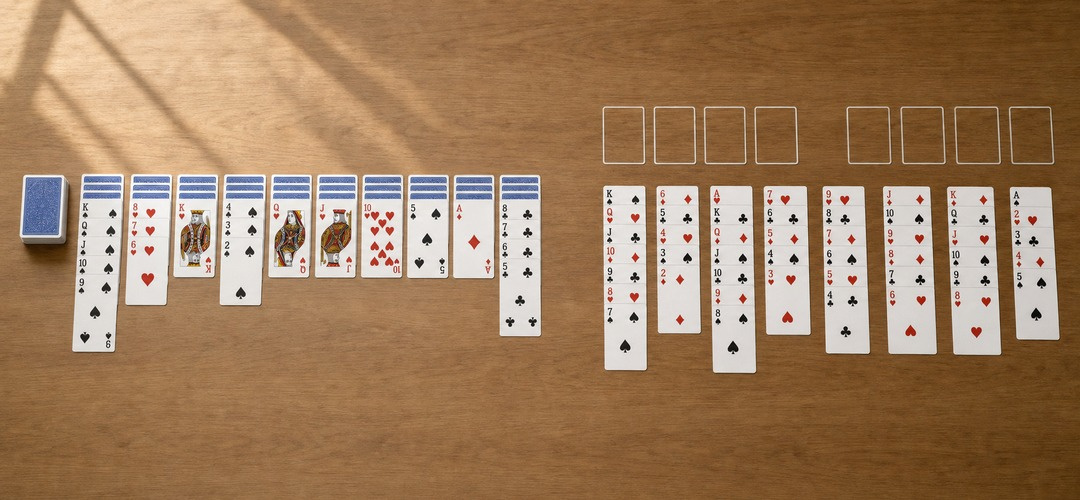
- A well-organized tableau.
- Simple animations that do not slow down gameplay.
- Optional card designs or backgrounds, if customization is important to you.
Avoid versions with distracting effects or overly complicated menus. Spider Solitaire requires players to track several card sequences, so visual clarity is more important than unnecessary decoration.
7. Compare Free Play Options and Advertisements
Many online Spider Solitaire games are available for free, making them accessible to players who want casual entertainment without paying for a subscription.
However, free games can differ in how they display advertisements and offer additional features.
Before choosing a game, check whether:
- The main gameplay is available without payment.
- Important features are accessible for free.
- Advertisements interrupt gameplay frequently.
- Optional purchases are clearly explained.
- The game requires registration or an account.
A free game that lets you start playing immediately may be the most convenient option. If advertisements are present, look for a version that keeps them unobtrusive and does not interrupt every move.
8. Review Privacy and Security
Although Spider Solitaire is a simple card game, it is still important to choose a trustworthy website.
Be cautious if a game requests unnecessary personal information, asks you to download unfamiliar files, or redirects you to suspicious websites.
For a safer experience, consider the following:
- Prefer established websites with clear contact or privacy information.
- Avoid downloading files when the game should work directly in your browser.
- Do not provide payment information unless you understand why it is needed.
- Check permissions before installing a dedicated game application.
- Use a browser with up-to-date security protections.
For casual play, a browser-based game that does not require an account can be a convenient option.
9. Test the Game Before Making It Your Favorite
Reading about a game can help you understand its features, but trying it yourself is often the best way to decide whether it meets your needs.
Start a new deal and spend a few minutes checking the overall experience. Notice how quickly the game loads, whether the cards are easy to read, and how smoothly the controls work.
You should also test the Undo and Hint buttons, if available. Try switching difficulty levels and check whether the game remains comfortable to use on your preferred device.
A good Spider Solitaire game should feel intuitive, provide an appropriate level of challenge, and allow you to focus on planning your next move.
Benefits of Choosing the Right Online Spider Solitaire Game
Finding the right version can improve your overall enjoyment in several ways.
A more comfortable experience: Clear cards and responsive controls make it easier to concentrate on the game.
A suitable level of challenge: Multiple difficulty settings help you progress at your own pace.
Greater convenience: Browser-based gameplay lets you start playing without a lengthy installation process.
Opportunities to develop strategy: Features such as undo and hints can help you explore different moves and learn from mistakes.
More flexible entertainment: Mobile compatibility and quick access make it easier to enjoy a game whenever you have free time.
The right choice does not need to be complicated. A reliable game with clear visuals, smooth controls, and suitable difficulty options is often enough.

Frequently Asked Questions (FAQs)
What is the best online Spider Solitaire game for beginners?
The best choice for beginners is usually a version with one-suit gameplay, clear instructions, and helpful features such as Undo and Hint. These options make it easier to learn the rules and understand how card sequences work.
Can I play Spider Solitaire online for free?
Yes. Many websites offer free Spider Solitaire games that run directly in a web browser. Some include optional advertisements or additional paid features, so check the terms of the game you choose.
Is it necessary to download Spider Solitaire?
No. Many browser-based versions can be played without downloading or installing software. You generally only need a compatible browser and an internet connection to open the game.
Can I play online Spider Solitaire on my phone?
Yes. Many versions support smartphones and tablets. For the best experience, choose a game with readable cards, responsive layouts, and touch-friendly controls.
Should I choose one-suit, two-suit, or four-suit Spider Solitaire?
Choose one-suit mode if you are new to the game, two-suit mode if you want a moderate challenge, and four-suit mode if you prefer more complex strategic decisions. You can move to a harder mode as your skills improve.
What features should a good Spider Solitaire game have?
Useful features include simple controls, clear card designs, Undo, optional hints, multiple difficulty levels, fast loading, and mobile compatibility. The ideal combination depends on your preferences.
Choosing the best online Spider Solitaire game comes down to finding a version that matches your skill level, device, and playing preferences. Look for clear graphics, user-friendly controls, reliable browser performance, suitable difficulty options, and helpful features such as Undo and Hint.
Beginners may enjoy starting with one-suit Spider Solitaire, while experienced players can explore two-suit or four-suit challenges. Mobile compatibility and unobtrusive advertisements are also worth considering if you want a convenient, uninterrupted experience.
Take a little time to test different versions and find the one that feels right for you. With the right online Spider Solitaire game, you can enjoy a classic card game whenever you want, whether you are relaxing for a few minutes or working through a challenging deal.